



By Concerto
Relive Your Shows
And Trips.
Reprise turns the photos from a concert or a trip into an album. From there you can make a card to share, send the photos to friends, or publish them to your own website.


Coming Soon To The App Store
What it does
Your Photos, Sorted
Into Albums.
Albums For Every Show And Trip
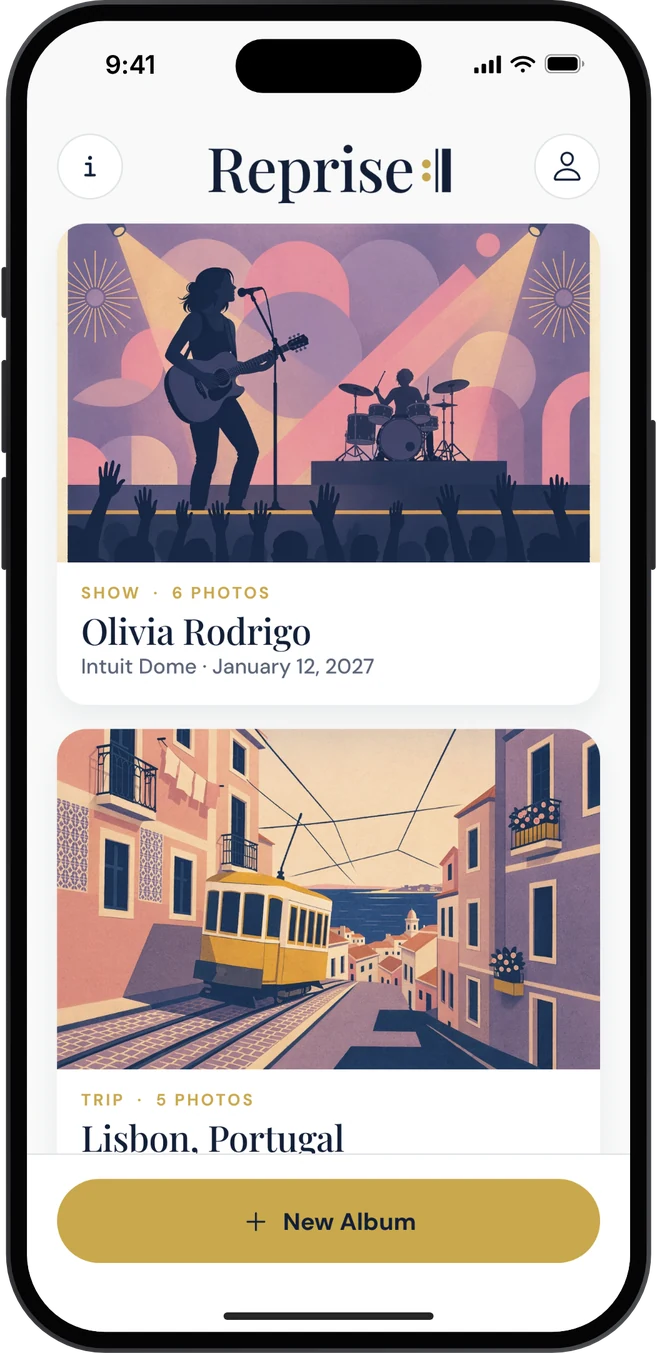
Choose your photos and Reprise groups them into an album, with the place and the dates filled in from the photos themselves.
A Card Worth Sharing
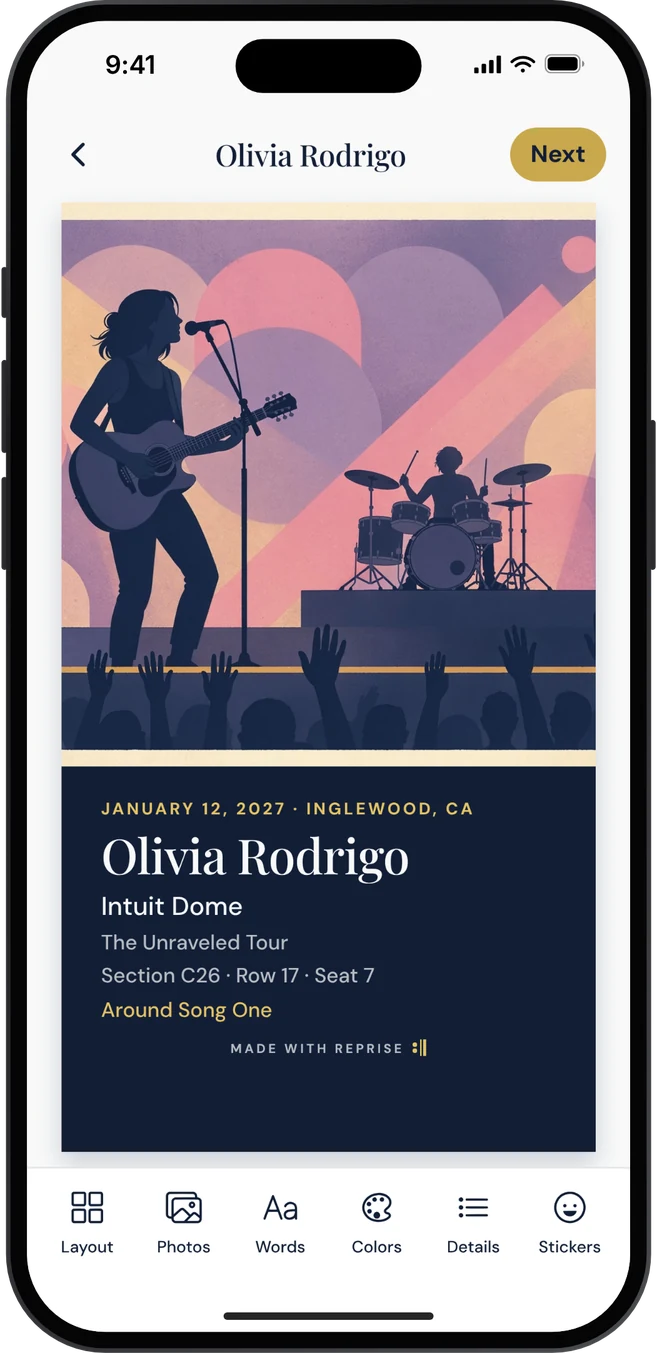
Pick a layout, then change the photos, words, colors and lettering. Cards are sized for Instagram, TikTok and Messages.
Your Own Website
Have a WordPress site or travel blog? Send photos from any album straight to it, resized, with captions.
Simple By Design
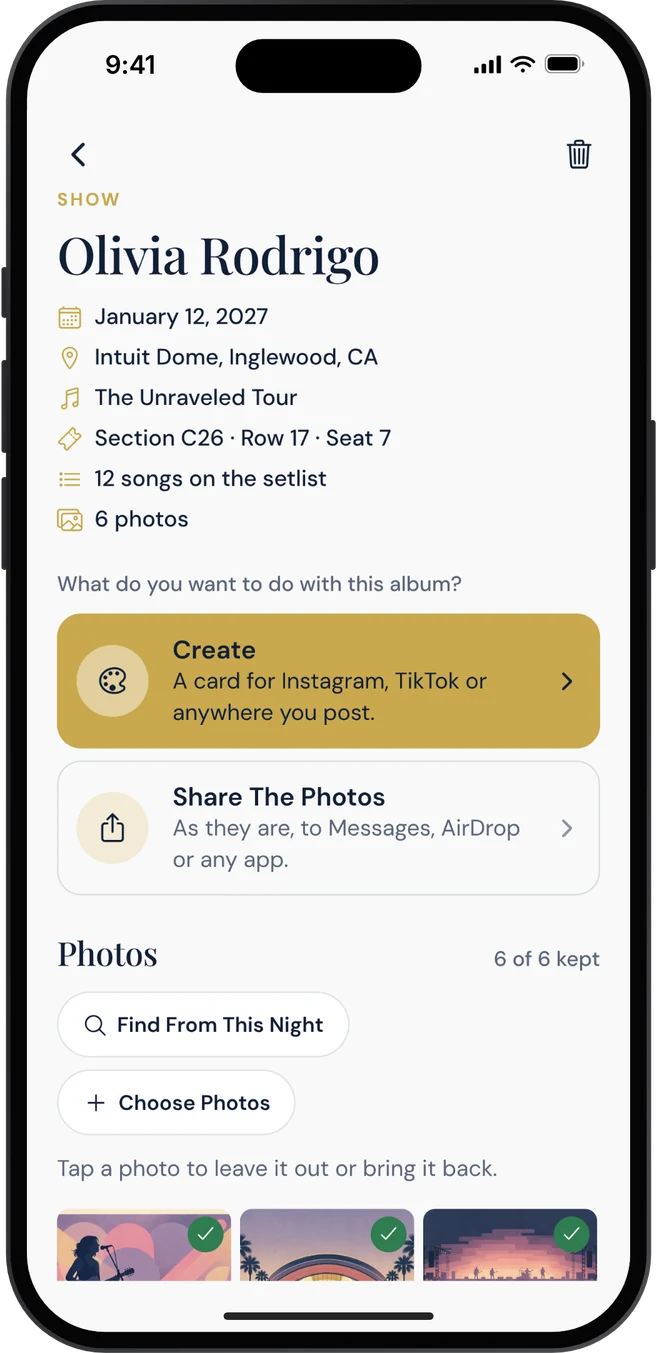
Everything starts from the album. Open one, choose what you want to do with it, and Reprise takes you to that step.
How it works
Five Steps,
Start To Finish.
- 01
Start An Album
Tap New Album and choose your photos. Reprise reads where and when they were taken and makes an album for that show or trip.
- 02
Open The Album
You see its details and photos, and what you can do with it: Create, Share The Photos, or Send To Your Website.
- 03
Make A Card
Tap Create, pick what it is for (an Instagram Story, a post, TikTok or a square), then pick a layout.
- 04
Make It Yours
The card fills the screen. Tap Layout, Photos, Words, Colors, Details or Stickers along the bottom to change it.
- 05
Share Or Save
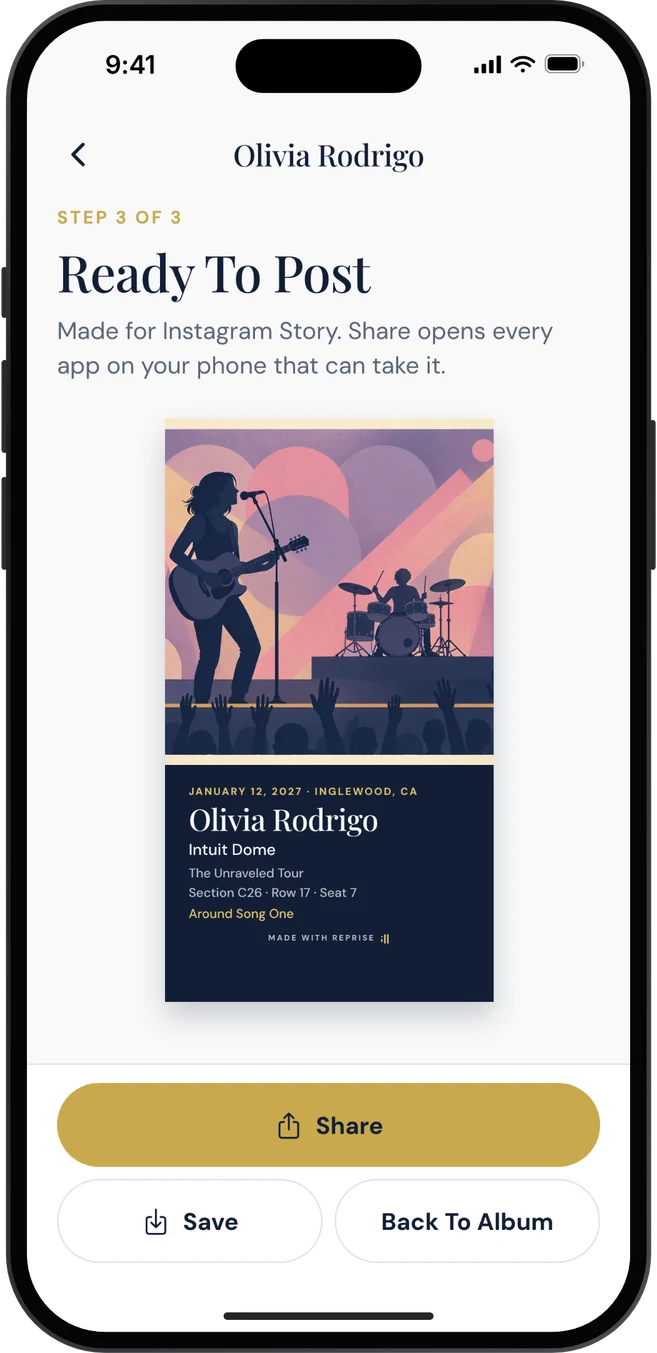
Tap Next, then Share to send the card to any app, or Save to keep it in Photos.
From the creator of Concerto
One Account,
Three Apps.
Reprise uses the same account as Concerto and Medley. A show you saved in Concerto is ready in Reprise the morning after, with the artist, venue, date, your seat and the setlist already in place. A Concerto+ membership includes Reprise+, and Reprise+ includes Concerto+.
Reprise+
Free To Use.
More If You Want It.
Albums, cards, sharing and website uploads are free. Reprise+ adds more lettering, stickers, and cards without the small Reprise line.
An Album Pass unlocks the same for one album. Prices are shown in the app before you buy.
Questions and policies
Good To Know.
Do I have to sign in?
No. Reprise works in full without an account. Signing in brings your Concerto shows and your membership, and keeps your albums’ details for a new phone.
How does Reprise work with Concerto?
They share one account. A show you saved in Concerto appears on the Reprise home screen after it happens, with Start Album beside it. The artist, venue and date are filled in for you.
How do I post to Instagram or TikTok?
Make a card, tap Next, then Share, and choose Instagram or TikTok from the list. There is nothing to connect or sign in to: your iPhone hands the card to that app.
Which websites can I send photos to?
WordPress sites, such as a travel blog. Open an album and tap Send To Your Website. Reprise resizes the photos, adds your watermark if you set one, and uploads them to your site’s media library with captions.
Where are my photos kept?
On your iPhone. Reprise does not upload them anywhere unless you send them to your own website or share them yourself.
I have Concerto+. Do I have Reprise+?
Yes. One membership covers both. Sign in with the same account in each app.
Policies
Reprise Privacy
Effective Date: November 17, 2026
Your photos stay on your iPhone. Reprise only opens the photos you choose, or the ones from a date you ask it to find. Albums and cards are made on your phone. Reprise does not upload your photos to Concerto.
Place names. If a photo carries a location, Reprise asks Apple’s maps service for the name of that place so the album can be titled. Concerto does not receive or keep it.
Your website. If you connect a WordPress site, photos you send go directly from your phone to that site. Your site password is kept in the iPhone keychain, on your phone only.
Your account. Signing in is optional. If you do, Reprise uses the same account as Concerto and Medley: your email address, the shows you saved in Concerto, whether you are a member, and each album’s details (its name, dates, show details and card design, never the photos), so your albums are there on a new phone.
Purchases. Reprise+ and the Album Pass are bought through Apple. We receive confirmation that a purchase was made, not your payment details.
What Reprise does not do. No advertising, no selling of personal data, and no tracking across other apps or websites.
Deleting your account. In Reprise, open Account and choose Delete My Account. That removes the account and everything on it for all three apps. Albums on your phone are removed when you delete the app.
Everything else is covered by the Concerto Privacy Policy and the Concerto Terms of Service. Questions: support@concertocity.com.