



By Concerto
Setlists And Streams,
In One Place.
Medley is the quick way to see what an artist is playing on tour. Search an artist, open the setlist, and save it to Apple Music as a playlist.


Coming Soon To The App Store
What it does
Setlists, Community
And Streams.
Setlists
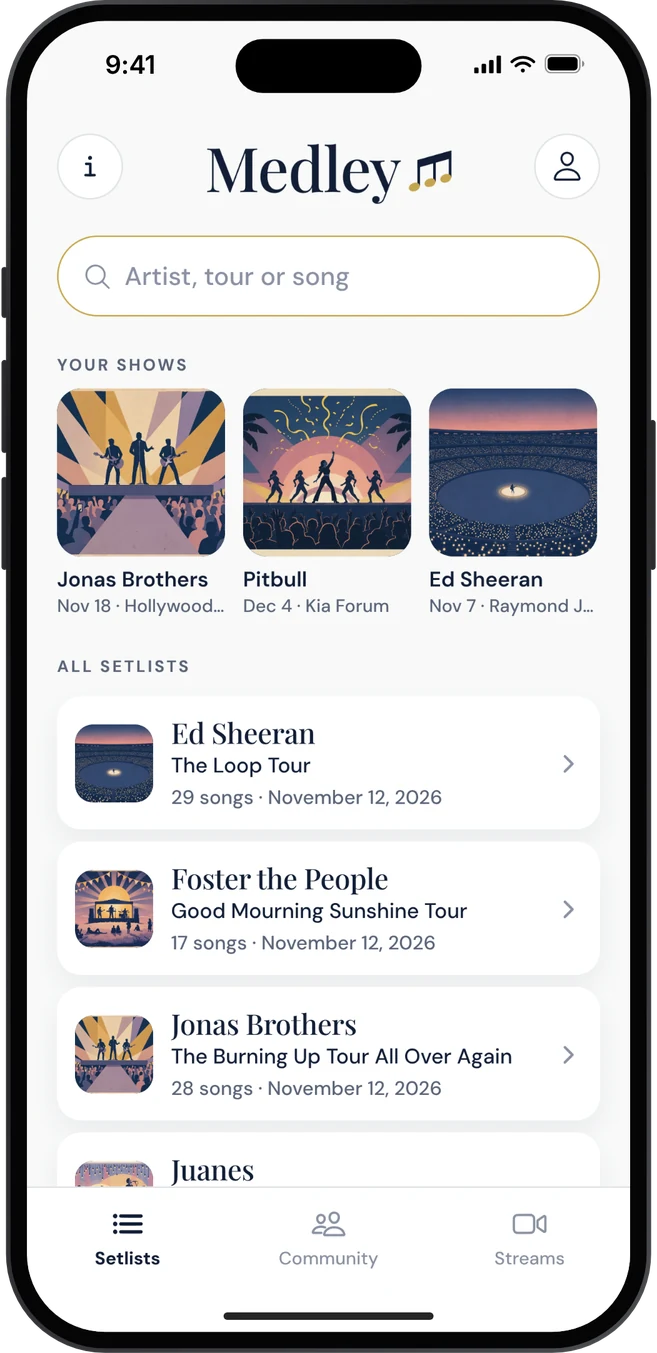
Search by artist, tour or song. Each setlist says where it came from and when it was last updated. Save the ones you want to keep.
Community
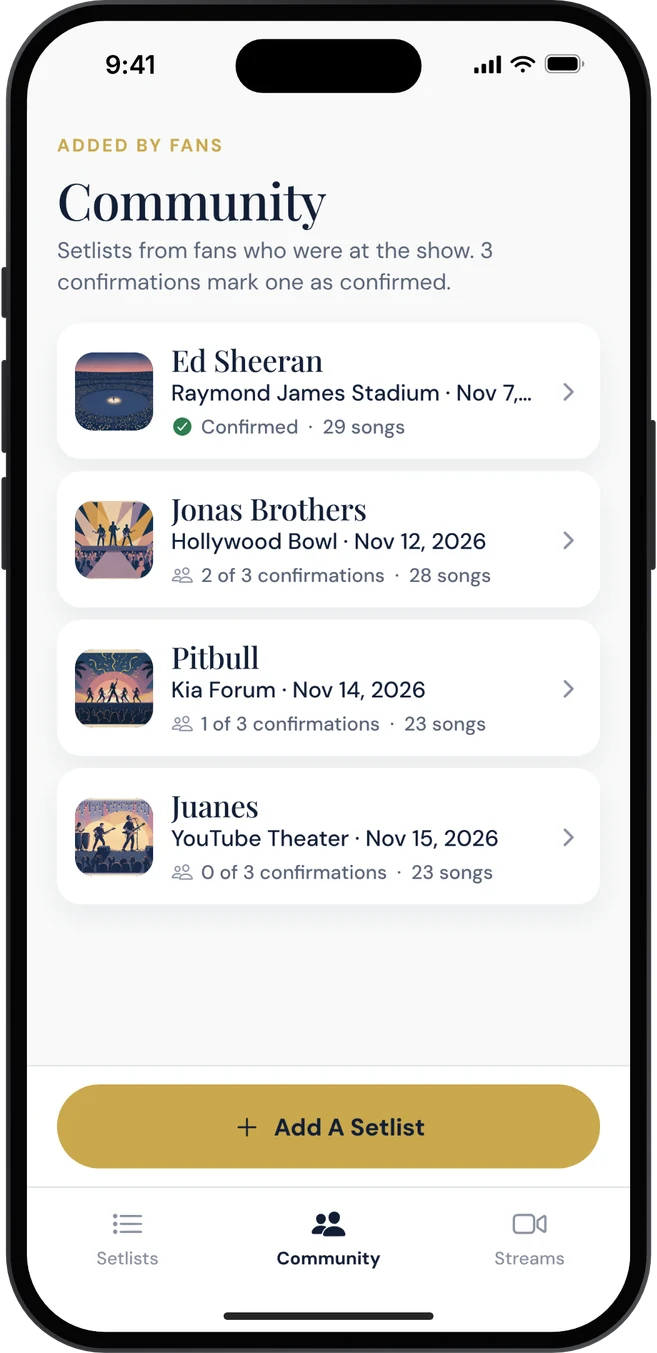
Fans who were at the show add what was played. When three fans confirm a setlist, it is marked as confirmed.
Streams
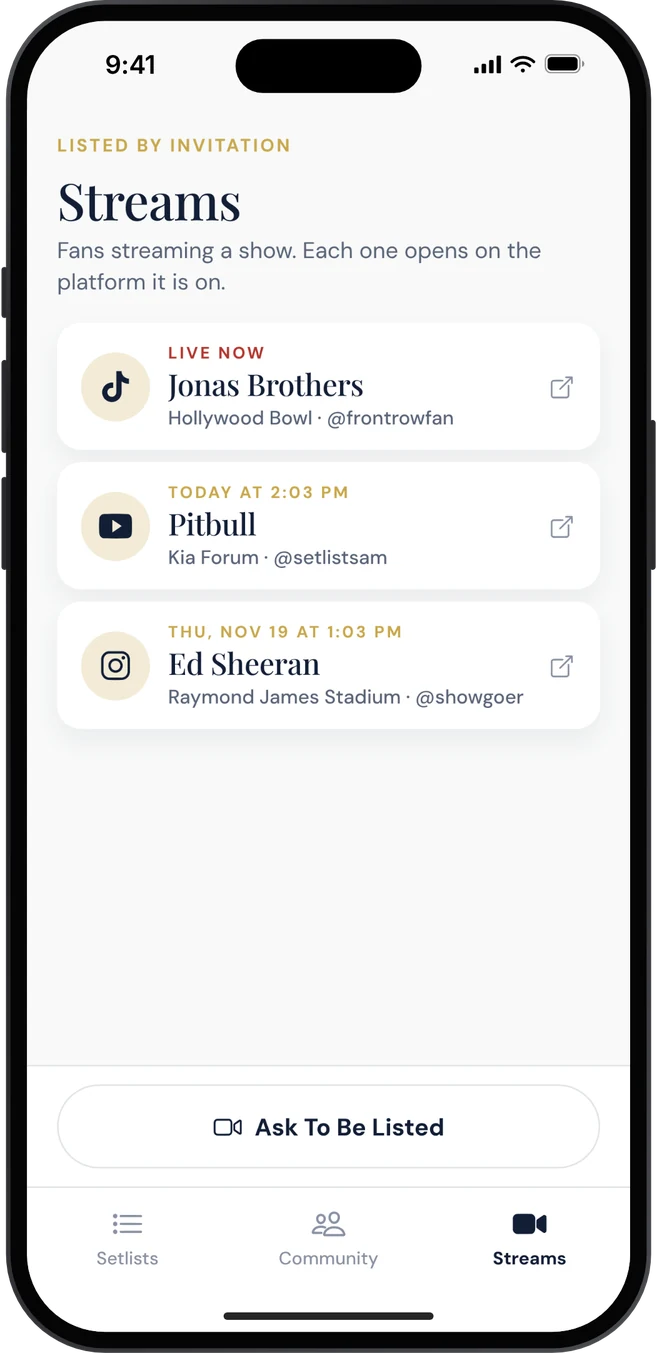
Fans who stream shows are listed by invitation. Each stream opens on the platform it is on. Medley does not host video.
Save To Apple Music
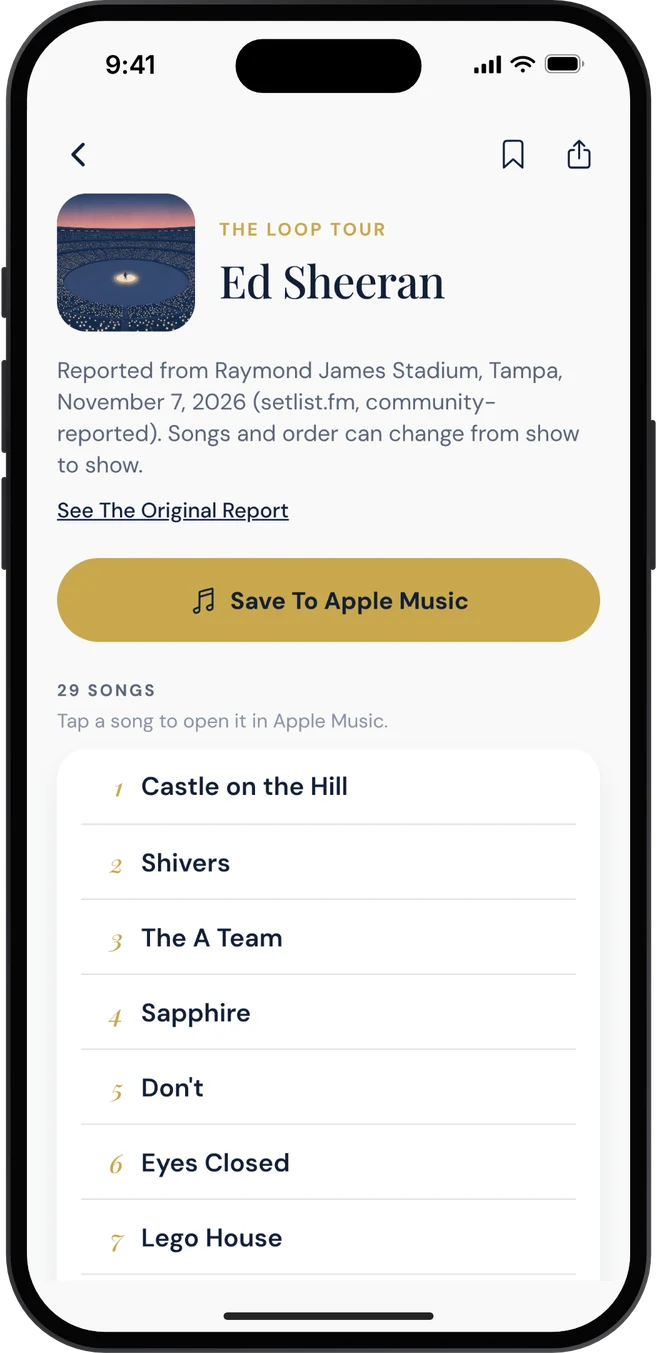
One tap turns a setlist into a playlist in your Apple Music library, in the order it was played.
How it works
Five Steps,
Start To Finish.
- 01
Find A Setlist
On the Setlists tab, type an artist, a tour or a song. Or scroll: the newest setlists are first.
- 02
Open It
You see every song in order, and a line saying where the setlist came from and when.
- 03
Play A Song
Tap any song to open it in Apple Music. Hold a song to copy its title.
- 04
Keep It
Tap the bookmark to save a setlist. Saved setlists stay at the top of the Setlists tab.
- 05
Save It To Apple Music
Tap Save To Apple Music and the whole setlist is added to your library as a playlist, in the order it was played.
From the creator of Concerto
One Account,
Three Apps.
Medley uses the same account as Concerto and Reprise. The setlists for the shows you saved in Concerto are at the top of Medley, and from any setlist you can plan the night in Concerto or relive it in Reprise. Reading setlists needs no account.
Questions and policies
Good To Know.
Is Medley free?
Yes.
Do I need an account?
Not to search, read or save setlists. You need one to add or confirm a setlist, report one, or ask to be listed as a streamer.
Where do the setlists come from?
Each setlist page says so under the artist’s name, with a link to the original report where there is one. Songs and their order can change from show to show.
How does a fan setlist get confirmed?
When three fans who were there tap I Was There, This Is Right, the setlist is marked as confirmed. A confirmed setlist replaces the reported one for that tour on the Setlists tab.
What if a setlist is wrong or abusive?
Open it and tap Report. Reports are reviewed within 24 hours. You can also tap Block This Person to stop seeing anything they add, and undo that under Account.
How do I get listed as a streamer?
On the Streams tab, tap Ask To Be Listed and tell us your handle, the platform and the show. We review each request and reply to the contact you give us.
Why did Save To Apple Music miss a song?
A few songs are not on Apple Music, such as unreleased songs and some covers. Medley adds the rest and tells you how many it found.
Policies
Community Rules And Terms
Effective Date: November 17, 2026
Add what was really played. Only add a setlist for a show you were at. No made-up setlists, guesses, or jokes.
Be decent. No abuse, hate, threats, spam, or anything unlawful, in a setlist, a name, or a stream listing.
Reporting and blocking. Anyone signed in can report a setlist or block the person who added it. Reports are reviewed within 24 hours. A setlist that several people report is hidden until it has been reviewed. We remove content that breaks these rules and may close the account that added it.
Streams. Streamers are listed by invitation after asking to be included. A listing is a link to a stream on another platform; Medley does not host, record, or control it. Streamers are responsible for following the rules of that platform, the venue and the artist.
Rights holders. If you are an artist, venue, promoter or their representative and want a setlist or stream listing removed, email support@concertocity.com and it will be taken down.
Where setlists come from. Medley credits the source of every setlist it shows. Songs and their order can change from show to show.
By using Medley you also agree to the Concerto Terms of Service.
Medley Privacy
Effective Date: November 17, 2026
No account needed to read. Searching and reading setlists, and seeing streams, works without signing in.
Your account. Adding or confirming a setlist, reporting, and asking to be listed as a streamer need an account. It is the same account as Concerto and Reprise: your email address, the shows you saved in Concerto, and the setlists you saved in Medley.
What you add. Setlists you add, your confirmations and your reports are stored with your account. A setlist you add is shown to everyone without your name or email. You can remove your own setlist at any time.
Stream requests. If you ask to be listed, we keep your handle, the platform, and the contact detail you give us so we can reply. The contact detail is never shown in the app.
Apple Music. With your permission, Medley adds a playlist to your library when you ask it to. It does not read your library or your listening history.
What Medley does not do. No advertising, no selling of personal data, and no tracking across other apps or websites.
Deleting your account. In Medley, open Account and choose Delete My Account. That removes the account and everything you added, for all three apps.
Everything else is covered by the Concerto Privacy Policy. Questions: support@concertocity.com.